Guides / Android Help
How to Play Android Games Offline (and Know Which Ones Work Without Wi-Fi)
 ONI Games · Published
Which Android games work without internet, how to check before you travel, what stops working offline, and how to set up your phone for a flight or a long trip.
Many Android games play perfectly without an internet connection, but not all, and the store does not always make it obvious. The quickest way to know is to test: switch your phone to airplane mode at home and open the game. If it starts and you can play, it will work on the plane too.
Before a trip: update your games on Wi-Fi, open each one once to finish any downloads, then test it in airplane mode. Anything that does not start there needs a connection.
How to tell if a game works offline
- Look for the Offline tag. Google Play shows tags on many game pages, and one of them is Offline. In our study of 847 idle games, 41% carried it.
- Read the description. Developers who support offline play usually say so, with phrases like "play without Wi-Fi" or "no internet needed".
- Check the genre. Single-player puzzle, strategy, idle and premium games usually work offline. Multiplayer games, battle royales and most big hero collectors do not, because your game runs on their servers.
- Test it in airplane mode. The only check that is always right.
What stops working when you are offline
Even games that play offline lose a few things without a connection:
| Feature | Offline? | Why |
|---|---|---|
| The core game | usually yes | it runs on your phone |
| Ads | no | ads are downloaded when shown, so you will usually see none |
| Purchases | no | Google Play has to confirm the payment |
| Cloud save | no | it syncs with your Google account; it catches up when you are back online |
| Leaderboards, leagues, events | no | they are run on servers |
| Daily rewards | sometimes | some games check a server clock before paying them |
| Offline earnings in idle games | yes | they are calculated from your phone's clock |
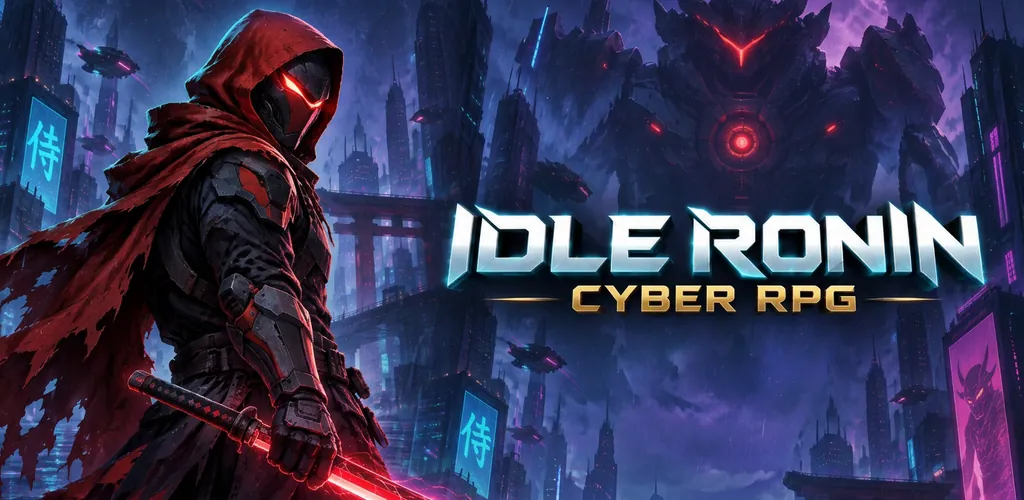
The daily rewards line surprises people. Games check the time online so that nobody can collect a week of rewards by moving the phone's clock forward. Our Idle Ronin does this for its daily login reward and its 4-hour supply drop, and the rest of the game keeps working. More on this in why games have daily rewards.
How to get your games ready for a trip
- Update everything on Wi-Fi. Open Google Play, go to your profile, then Manage apps & device, and update your games. Some online games refuse to start until they are on the latest version, and you do not want to find that out at the gate.
- Open each game once. Many games download extra content on the first launch or after an update. Let that finish while you are connected.
- Sign in and sync. If a game has cloud save, sync it before you leave, so your progress is safe if something happens to the phone.
- Test in airplane mode. Swipe down from the top of the screen and tap Airplane mode, then open the game.
- Save battery. Lower the brightness and turn on Battery Saver. Games are among the most power-hungry apps you can run.
Offline games that are built for it
Some genres are made for playing without a connection:
- Idle games. They count the time you are away with your phone's clock, so a flight is progress. All four of our games run offline: Idle Ronin, Idle Summoner, Idle AI Factory and Block Brain. Our list of the best offline idle games has more.
- Premium games. Most paid games are single-player and offline: Stardew Valley, Slay the Spire, Terraria and Mini Metro are good examples.
- Puzzles and roguelikes. Short, self-contained runs that need nothing from a server.
For picks by trip length and type, see the best offline games for flights and the offline section of the best mobile games of 2026.
A hidden offline game on every Android phone
If you have Chrome, you already have one. Open Chrome with no connection and try to load a page, and the dinosaur on the error screen is a game: tap to start and jump. You can also type chrome://dino in the address bar to play it any time.
Why some games will not work offline at all
- Multiplayer games need other players, so they need servers.
- Online RPGs and hero collectors keep your characters on the game's servers, which protects them from cheating and lets you play on several devices.
- Some games check your license or account at start, especially after an update.
- Live-service games depend on events and shops that change on the server.
Our guide to why mobile games need internet explains each reason in more detail.
FAQ
Can I play Android games in airplane mode?
Yes, any game that does not need a server. Test it at home first: turn on airplane mode and open it.
Do offline games use mobile data?
Not while you play offline. Many free games use data for ads and updates when a connection is available, so turn off mobile data if you want to be sure.
Will my offline progress be saved?
Yes. The game saves on your phone, and games with cloud save upload your progress the next time you are online.
Do idle games keep earning offline?
Yes. Offline earnings are calculated from your phone's clock when you open the game again, with or without a connection. See how offline earnings work.
Sources
- ONI Games, Idle games on Google Play in 2026, Offline tag counts.
- Google Play store pages of the games named, September 2026.
- ONI Games code: Idle Ronin trusted-time checks (LiveOps.cs).