Guides / ONI Snakes: Armored Arena
ONI Snakes Controls Guide: Custom Buttons, Left-Handed Mode, Settings
 ONI Games · Published
How to set up the controls of ONI Snakes: Armored Arena: moving and resizing every touch button, left-handed mode, cinematic mode for recording, mouse and keyboard keys, every setting explained and how the cloud save works.
ONI Snakes: Armored Arena lets you put every touch button where your thumbs want it, mirror the whole layout for the left hand and hide the HUD for recording. This guide shows how, and what every setting in the game does.
We make ONI Snakes, so this is how the game itself works.
The controls at a glance
| Action | Phone | Mouse and keyboard |
|---|---|---|
| Steer | drag on the screen (floating joystick) | move the mouse |
| Boost | hold BOOST | hold Space or the right mouse button |
| Shoot | hold FIRE | hold the left mouse button |
| Dodge | tap DASH | tap Shift |
| Ram | hold DASH, then let go | hold Shift, then let go |
| Ability | the ability button | Q |
| Emote | the emote button | T, then 1 to 4 |
| Pause | the pause button | Esc |
| Hide the HUD | CINEMATIC in the pause window | H |
How to move and resize the buttons
- Start a match and tap the pause button.
- Tap CONTROLS.
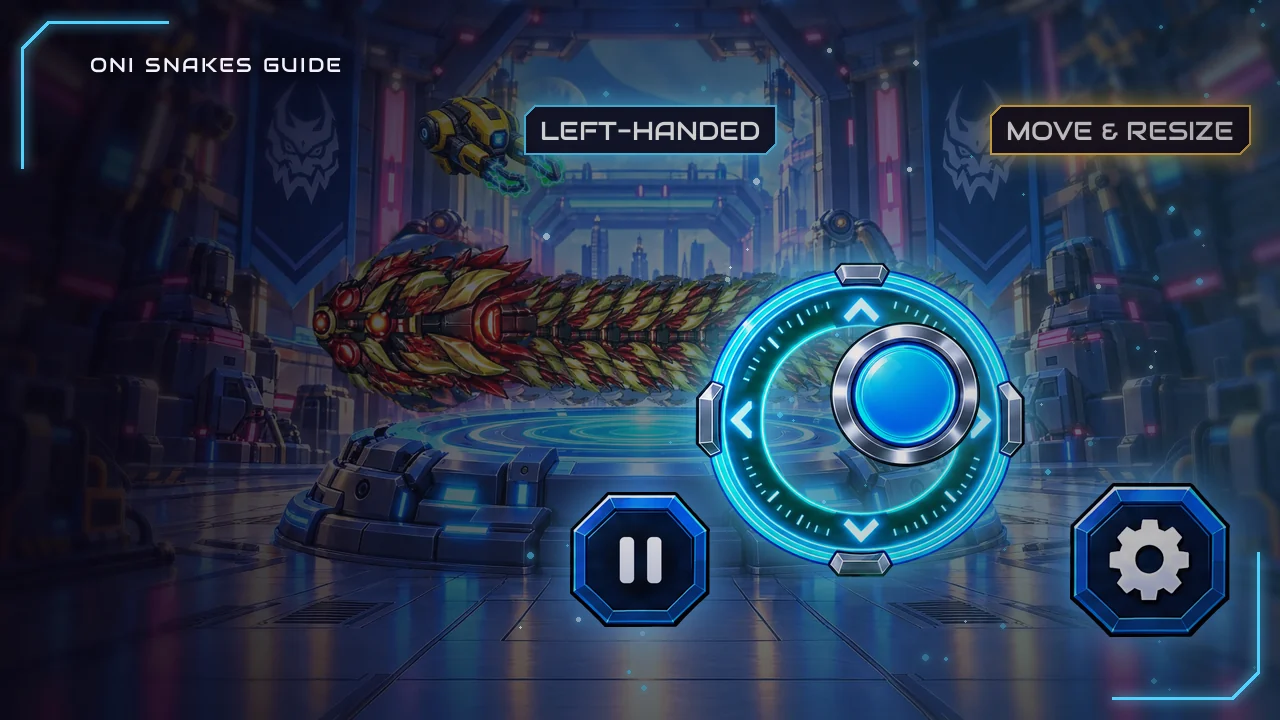
- Drag a button to move it. Tap a button, then use the slider to make it bigger or smaller, from 60% to 160% of its normal size.
- Tap DONE. RESET puts everything back the way it was.
You can move FIRE, DASH, BOOST, the ability button, the emote button and the boosters panel. The steering joystick floats under your thumb, so it needs no place of its own. Your layout is saved on the phone and used in every match. The CONTROLS key is only there on a touch screen.
Left-handed mode
LEFT-HANDED mirrors the whole layout: the buttons move to the left side and you steer with your right thumb. Switch it on in the CONTROLS screen or in SETTINGS. The moves and sizes you set are mirrored with it, so you never set them up twice.
Cinematic mode for recording
CINEMATIC in the pause window hides every button and counter for the rest of the match, and the camera pulls back a little and follows more softly. The announcer and the snakes' quips stay, because they are part of the show. Tap the top-left corner to bring the HUD back; with a keyboard, H switches it on and off.
Tips for a comfortable layout
- Put DASH under your resting thumb. It is your dodge and your ram, and its timing matters more than any other button's.
- Make FIRE bigger if you hold it most of the match, and shrink the emote button if you rarely use it.
- Keep the boosters panel within reach. Power-ups you pick up in the arena land on the same buttons.
- Leave room to steer. Buttons pushed toward the middle of the screen eat into the space your other thumb drags in.
Every setting explained
| Setting | What it does |
|---|---|
| LANGUAGE | The game's language. It is listed first, under its own name, so you can always find it. |
| MUSIC, SOUND EFFECTS | Music and sound effects on or off. |
| LEFT-HANDED | Mirrors the touch controls. |
| VIBRATION | Vibration on or off, on phones that support it. |
| NOTIFICATIONS | The game's reminders on or off. |
| FOOD & ARENAS | Changes the look of the food and the arena. |
| HOW TO PLAY | The game's own how-to-play pages. |
| GOOGLE PLAY GAMES, ACHIEVEMENTS | Sign in to Google Play Games, or open your achievements once you are signed in. |
| INVITE FRIENDS | Shares your friend code. |
| FRIEND'S CODE | Enter a friend's code, during your first week only. |
| PRIVACY | Google's consent choices where they apply, and the privacy policy. |
| PLAYER ID | Copies your player ID, which you send us to have your leaderboard profile deleted. |
Our clans guide explains what friend codes pay.
Cloud save
Sign in to Google Play Games and your progress is saved to your Google account. On a new phone the game restores it by itself; if a phone already has progress and the cloud save is further ahead, it asks first and shows the rank of both.
FAQ
How do I change the controls in ONI Snakes?
Pause a match and tap CONTROLS. Drag buttons to move them, use the slider to resize them, and tap DONE.
Is there a left-handed mode?
Yes. LEFT-HANDED, in SETTINGS or in the CONTROLS screen, mirrors the whole layout.
How do I hide the HUD to record a video?
Pause and tap CINEMATIC. Tap the top-left corner, or press H on a keyboard, to bring it back.
Will my progress move to a new phone?
Yes, if you sign in to Google Play Games: the cloud save brings it back.
Sources
- ONI Games, ONI Snakes: Armored Arena game code (ControlsLayout.cs, AaaControlsEditor.cs, AaaCinematic.cs, AaaOverlay.cs, AaaOverlayInfo.cs, OniPlayGames.cs), October 2026.

 Scan to install on your phone